Customer collaboration tool
Developed a project management tool designed to give you an easy to follow workflow when collaborating with customers.

Roles
Product Designer, Frontend Developer, Branding, Web Designer
In Brief
Developed and designed a complete SaaS app using Angular, PrimeNG component library, and Firebase. In addition, I worked on the marketing website and brand materials.
Results
Learnt programming through collaboration with a full-stack developer; Ran tests on the platform with real projects
In collaboration with another developer, we built a project management app. This SaaS app provided an easy way to work with external collaborators, consolidating information into one platform instead of scattered communications across email, Slack, and other apps. It addressed the common problems of disorganization, missed information, and decreased productivity when working with outside partners or clients.
The tool allowed users to create workflow steps, add various content blocks (image galleries, tables, PDFs, embeds), and invite users. I handled the design and frontend development. We worked with Firebase as our backend to handle storage and authentication.
In the end this project didn’t make it to market, we decided to cease operations on the project due to personal reasons within our team. The code can be viewed on my GitHub here: https://github.com/nickjessop/project-workflows-angular.
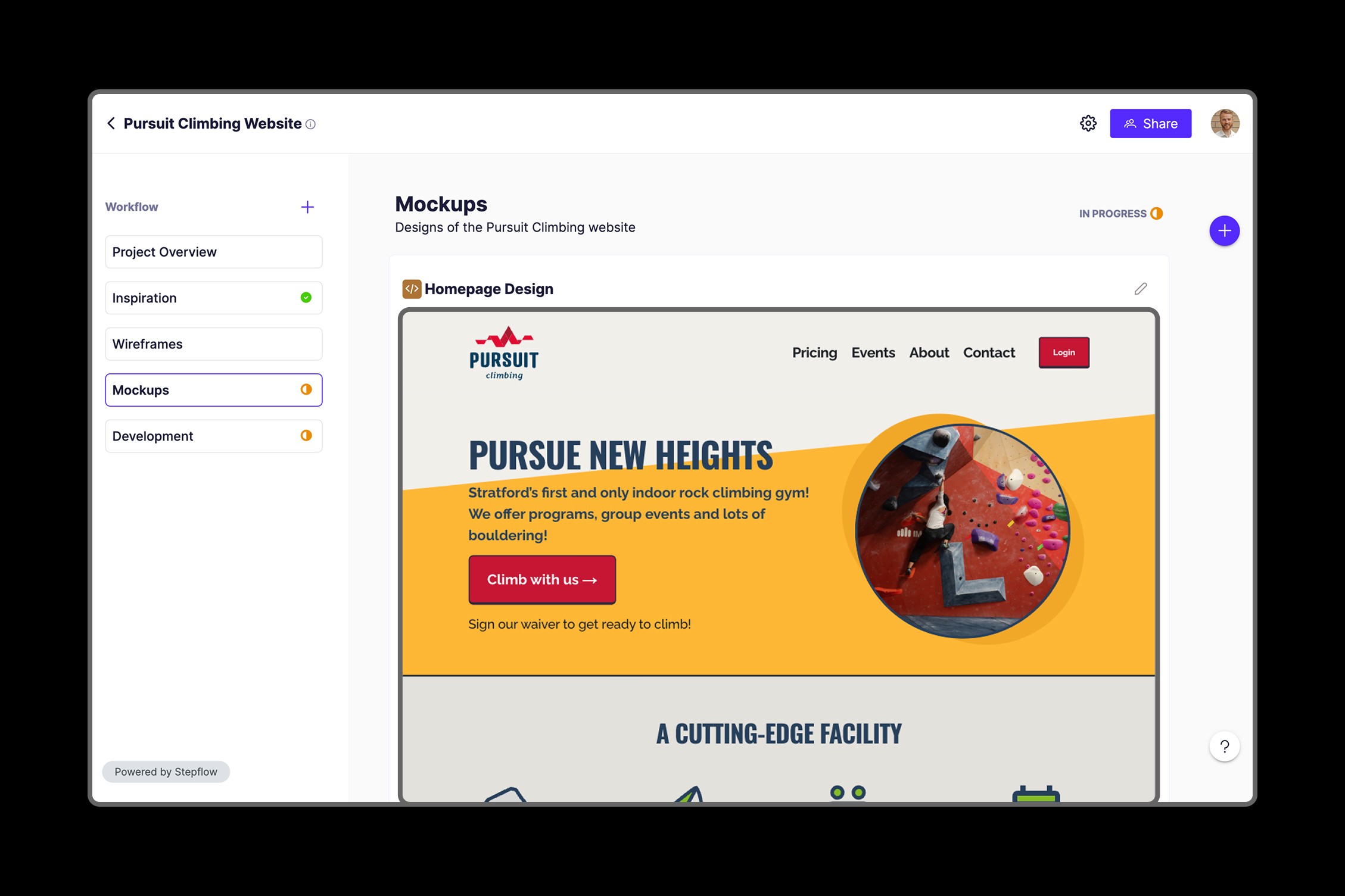
Projects were broken down into a series of easy-to-follow steps. Customers can open the workflow, see at a glance how things are progressing and easily get the information they need.
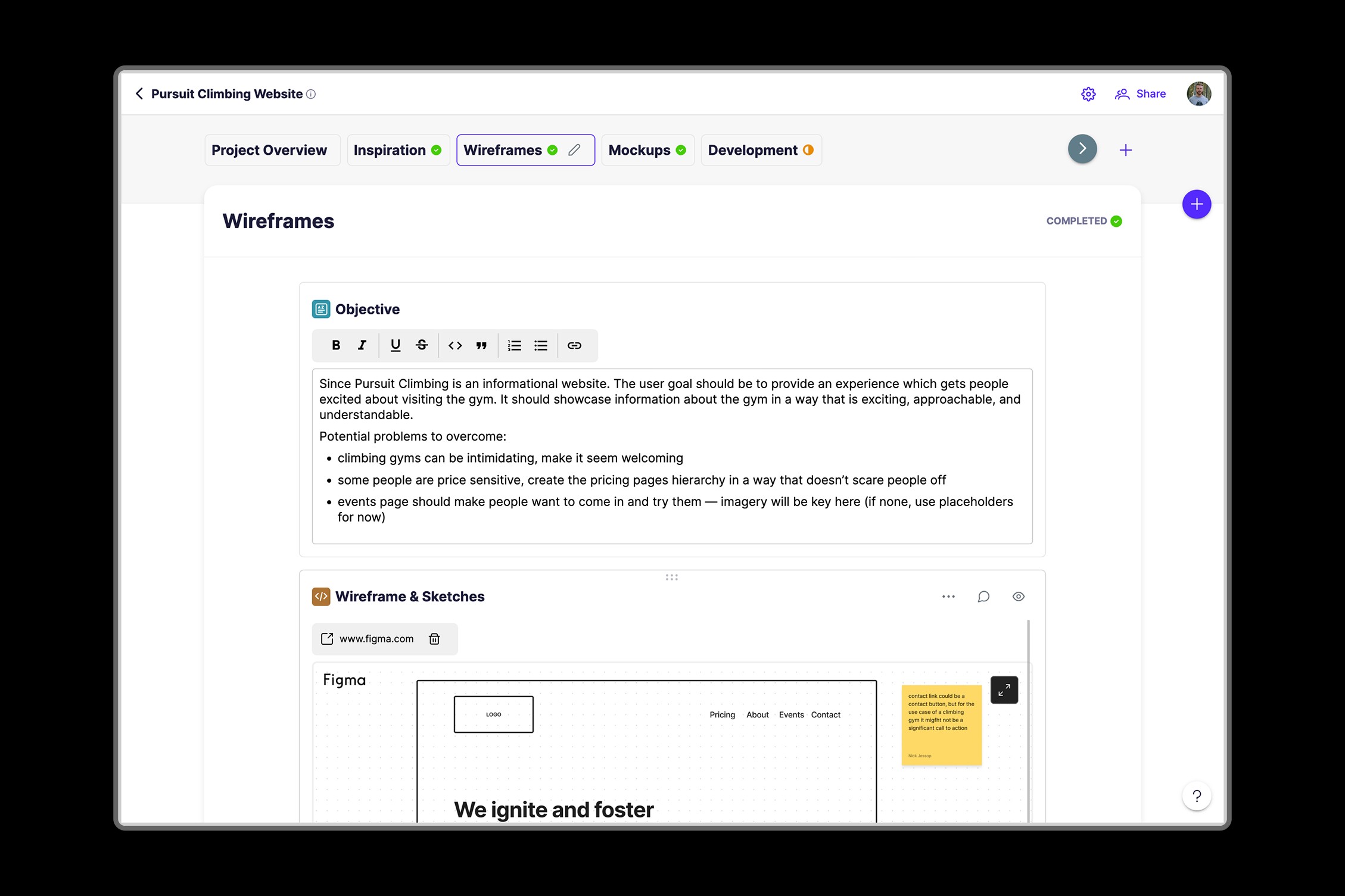
Within each step users can drag dynamic widgets (blocks) to showcase a variety of content. We provided the ability to re-arrange and comment on each block.
Project listing screen with the ability to filter by projects you created or that have been shared with you.


Share dialog with unique link generation and email project invites. Adding a new step let you set it's status, which was then reflected on the left sidebar.

Different content could be displayed when a user adds a block to the step.